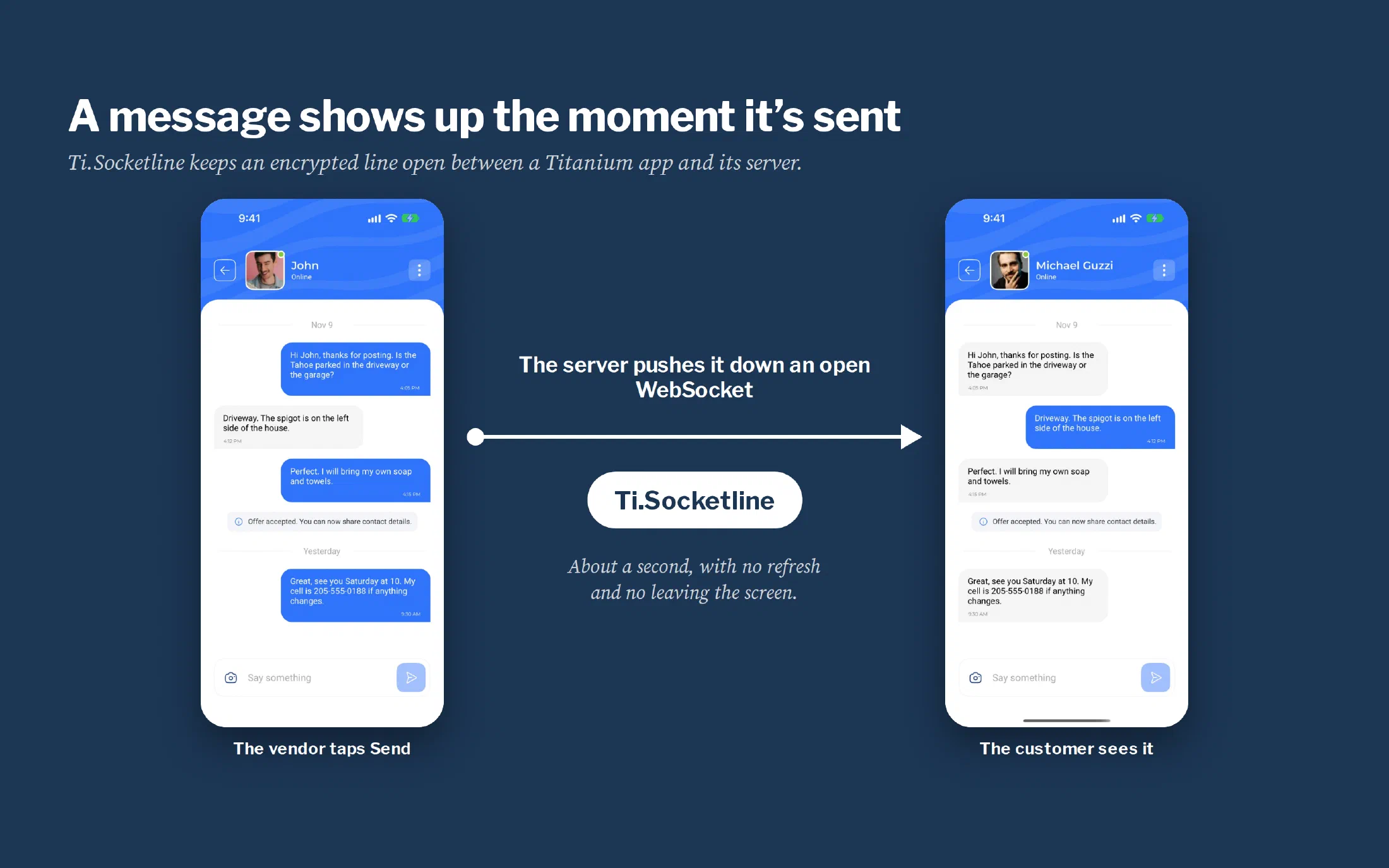
One line in the notes on the old Mobile Wash USA app said that chat messages only showed up after you left the job and opened it again. A customer would ask a vendor when they could come wash the truck, and the answer wouldn’t appear until the customer backed out of the chat and came in again.
An app that behaves like that feels broken even when nothing is technically wrong, because people expect a phone to tell them the moment something happens. In the app we rebuilt, a vendor’s message is on the customer’s screen about a second after the vendor taps Send. Nobody refreshes anything.
The piece that makes that possible is a WebSocket, a line the phone keeps open to the server so the server can push news down it. Titanium has no WebSocket support built in, so my company, Centreville Tech, wrote Ti.Socketline and released it free and open source.
An app that answers back
Without an open line, an app only knows what it last asked for. It has to keep asking, and everything on the screen is as stale as the last time it did. That’s how the old chat ended up needing a trip out of the screen and back.
With the line open, the server speaks first. Chat was the reason we built Ti.Socketline, and once the socket was there the rest of Mobile Wash USA got the same treatment:
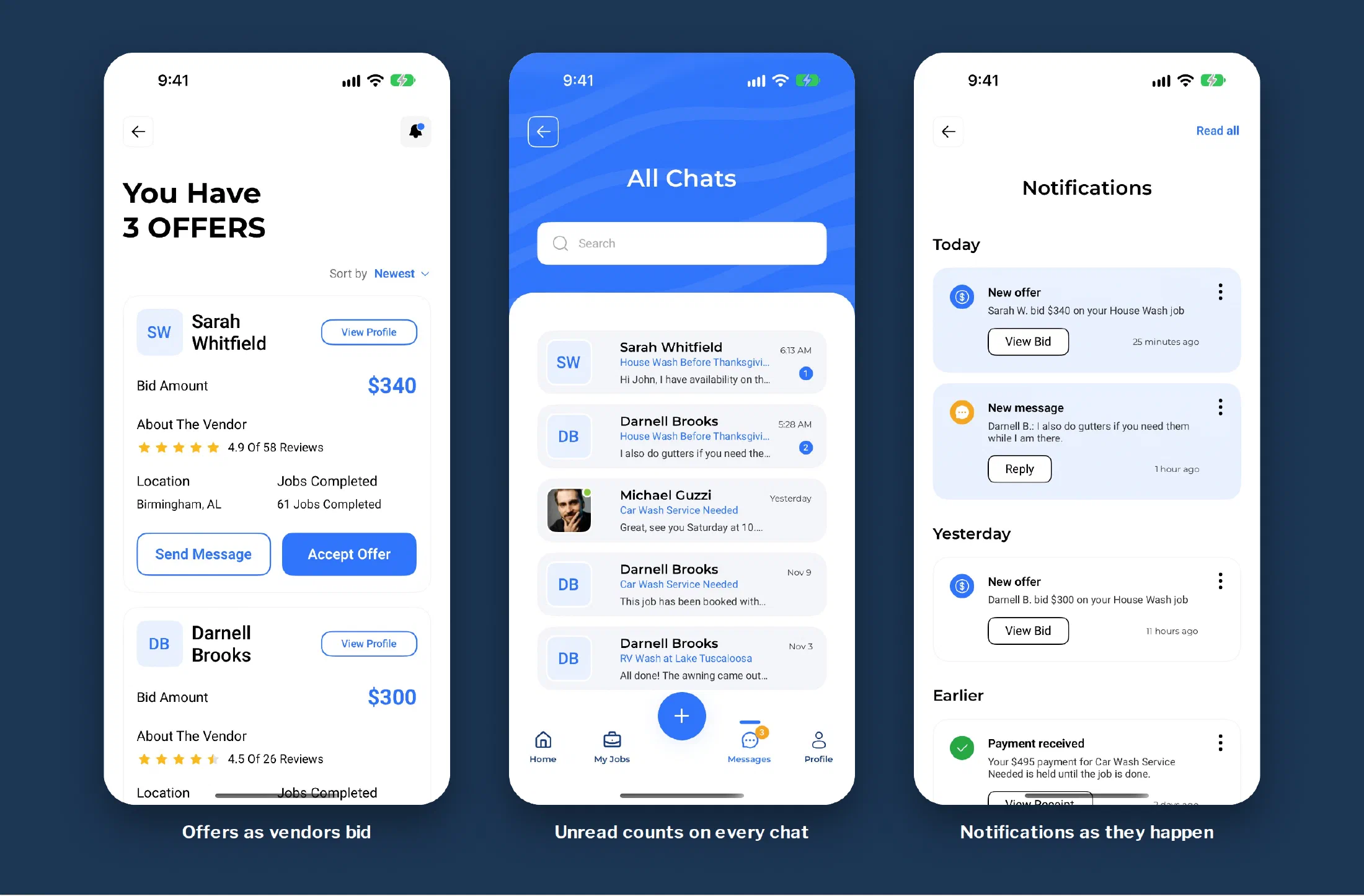
- A customer watching the offers on a job sees each new bid arrive as the vendor places it.
- The chat shows when the other person is typing, and a sent message is marked delivered and then read.
- The unread count on the Messages tab goes up while you’re looking at some other screen.
- After a customer pays, the payment confirmation lands by itself.
- A vendor whose account gets approved can start bidding without restarting the app.
How a message gets there
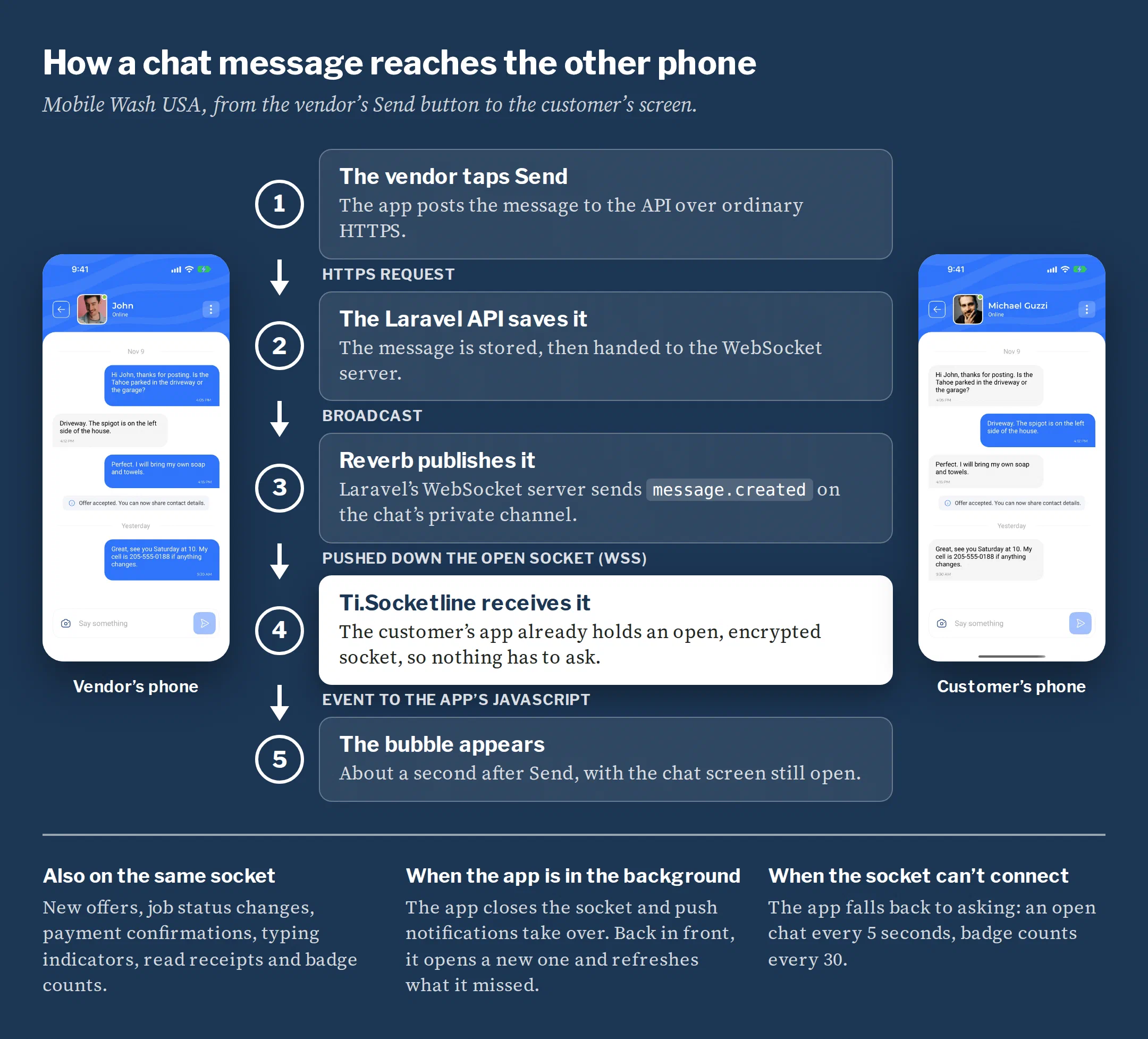
Sending still goes out the ordinary way, as a request to the API. The difference is on the receiving end. The customer’s app opened its socket when the customer signed in and has been holding it ever since, so when Reverb, the WebSocket server that comes with Laravel, publishes the new message, it travels straight down that line. Ti.Socketline hands it to the app’s JavaScript, and the chat screen adds the bubble.
Each chat has a private channel, and the server checks that a user belongs to the conversation before it lets their phone listen.
What was already out there
Before writing a module I looked at what a Titanium app could use, and none of it would do.
- WebSocket clients written in plain JavaScript sit on top of Titanium’s raw network socket, and on an iPhone that socket can’t make an encrypted connection. Unencrypted chat wasn’t going in the stores.
- The Socket.IO modules speak Socket.IO’s own protocol, so they can’t talk to a plain WebSocket server like Reverb.
- The older native WebSocket modules stopped years ago and don’t build with current Titanium, Xcode or Android tools.
What Ti.Socketline does
Ti.Socketline hands the job to software each phone already has. On an iPhone that’s Apple’s own WebSocket client. On Android it’s the system’s encryption and a library called Java-WebSocket, which Titanium already ships with, so nothing gets bundled twice.
The JavaScript side is small and shaped like the WebSocket in a web browser. You connect, send and close, and you listen for four events. Certificate checking belongs to the phone, and the module has no option to turn it off.
Getting both phones to agree
The first build worked. Messages went back and forth in the app on both platforms. The trouble was at the edges, where the iPhone and the Android phone told different stories about the same event. When the app gave up on a connection that hadn’t opened yet, Android reported a code of -1 and the iPhone reported a normal, clean close. An app decides whether to reconnect by reading those codes, so two stories means two sets of reconnect bugs, and a reconnect bug is exactly the kind that makes an app feel dead.
Before publishing anything I wrote down one contract for both platforms. A socket closes exactly once, and the close is always the last thing it reports. Anything that never opened ends with code 1006. Then I wrote a self-test of 33 checks that runs the real module against a local test server: servers that hang up, servers that go silent, bad certificates, wrong host names, rejected sign-ins.
That first build passed 9 of the 33. Version 1.0.0 passes all of them on an iPhone simulator and on Android, and the README’s table shows each one.
When the line drops
Phones lose connections all day, so staying responsive is mostly about what happens when the socket isn’t there.
Ti.Socketline puts a deadline on connecting, 15 seconds unless the app says otherwise, so an app is never left waiting on a network that accepts the connection and then says nothing. A dropped connection is reported as an error and then a close, the same way on both phones. Reconnecting is left to the app’s own JavaScript on purpose, because that’s where it can be tested.
Mobile Wash USA closes the socket when the app goes to the background, and push notifications take over from there. Back in front, it opens a new socket and fetches whatever it missed. If the socket can’t be reached at all while the regular API still can, the app falls back to asking, every 5 seconds for an open chat and every 30 for the badge counts. The customer gets a slower chat, and it still works.
The module has limits. It carries text messages only, which is all a chat protocol like this one needs. The README also lists what I didn’t test, such as a phone switching from Wi-Fi to cellular in the middle of a conversation.
Where to get it
Version 1.0.0 is on GitHub under the Apache 2.0 license. It needs Titanium SDK 13 or later, on iOS 15 and up or Android 7 and up. It’s one of three modules that came out of the Mobile Wash USA rebuild, with Ti.Paysheet for card payments and RESTe 2 for the API.
Does your app make people pull to refresh to find out what happened? Send me an email and tell me what it’s doing.